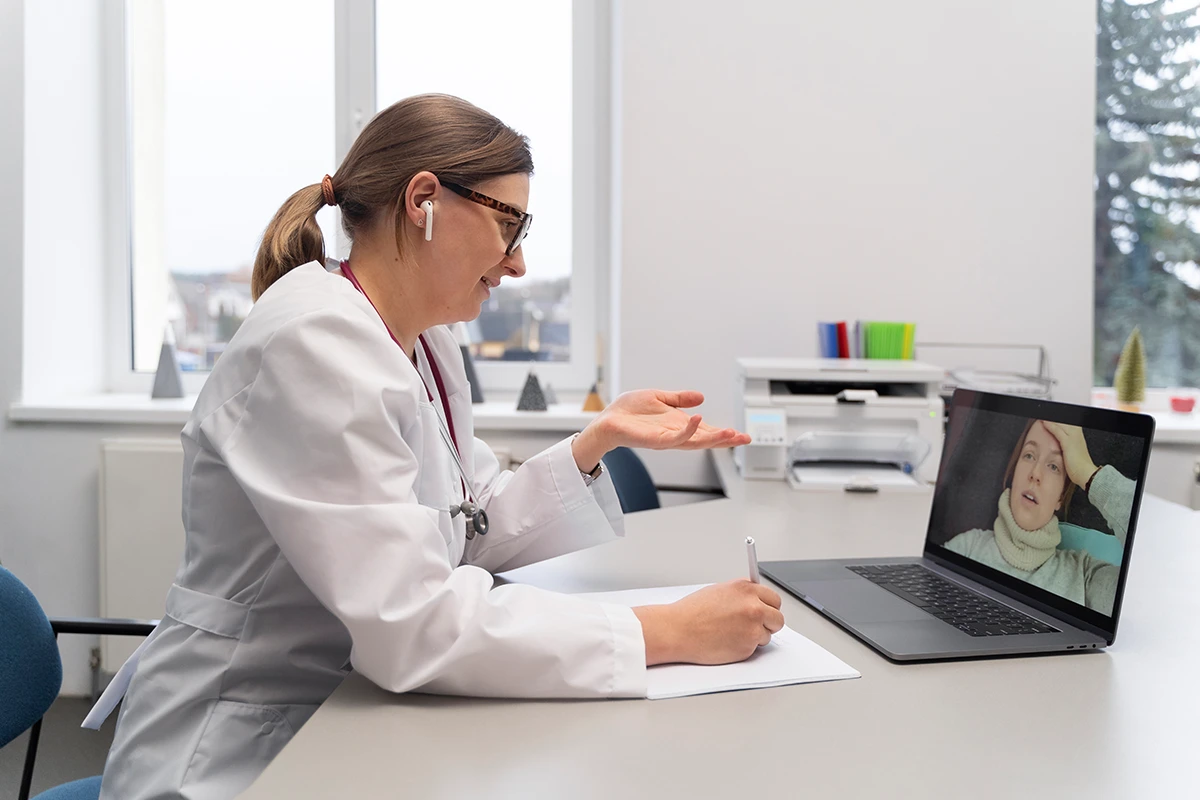
Digital health has changed the way we get medical advice, making it super easy. But for a virtual consultation to be successful, the patient's environment and the equipment used are significant factors. Can you imagine a video call freezing the moment you are describing your symptoms to the doctor? Nothing is more aggravating.
In the physical clinic, we are used to controlled environments. However, for a digital appointment, you will not only be the patient but also the support person for the IT part. After ensuring your hardware and software are working properly, you can start preparing for a telehealth consultation.
Your digital readiness will affect the quality of the medical assessment, whether you call your GP during your lunch break or get urgent advice in the middle of the night. Let's see what you need to do to make a virtual doctor visit smooth, safe, and medically effective.
Which Device is Best to Use?
Accessing healthcare online is great, mainly because it gives you the freedom to choose the device. You do not need the most expensive computer in the world to get quality medical treatment. Most of the modern gadgets you have are ideal for a video consultation in a secure environment.
- Smartphones: This option is a favourite of the patients. Today's smartphones, both Apple and Android, have high-definition cameras and very good-quality microphones. Also, they are portable, so, for instance, you can use your phone to show the doctor a rash or an injury on a completely different part of your body.
- Computers and Laptops: These two are the best if you want a bigger screen. A laptop on the desk is very stable, so you don't get the shaky camera effect you get when holding a phone. Don't forget to check your webcam and make sure it is on and ready.
- Tablets: iPads and the like offer a neat solution with larger screens, but they are still very light, and you can take them anywhere.
The deciding factor is mainly the condition you are suffering from. If you are consulting via telehealth rather than in person, keep in mind that during a virtual visit, a doctor needs to see you clearly. Without a properly working, clean camera lens, a device is useless.
Connectivity Check
One can have a 4K camera, but as soon as there is no bandwidth to support the video, it is of no use. Internet connectivity issues are the leading cause of digital appointment failures.
Just before your appointment time, you can use these two minutes to test your network:
- Wi-Fi or Cellular: Your home's Wi-Fi network is the best option for 4G or 5G cellular data. The Wi-Fi connection is more stable, allowing a continuous stream, which is very important for an uninterrupted video.
- Your Signal Strength: If you are connected via Wi-Fi, make sure you are in the same room as your router or nearby, so the signal strength is at least 3. Walls and long distances will weaken your internet speed.
- Close Background Apps: Streaming services (like Netflix and YouTube) and big file downloads will eat up your bandwidth. Just shut down these apps on your device and tell your family members to stop using the heavy internet for that time.
Those of you who regularly experience network dropouts may want to know how the billing system operates when technology fails. Our overview of bulk billing and telehealth explains in detail the Medicare criteria for telephone-only bookings.
How to Get a Better Call Quality
Besides the right equipment and good internet, your location is also a major factor in the success of the call. If you treat the online space with the same respect you would in a physical clinic, your doctor will focus fully on your health.
- Proper Lighting: A doctor can see your skin colour, your breathing, and your facial expressions. Don't ever sit with a window or a bright light behind you, because you will be completely black and no one will be able to see you. If you want to be clearly seen, sit facing a window or put a lamp in front of your face.
- Headphones: Using headphones or earbuds during a telehealth session provides an extra layer of security, ensuring the doctor's voice is not heard by others. Also, headphones with a microphone greatly increase audio quality by removing background noise.
- Remove Distractions: Turn off your TV and bring the pets to the other room. Locate a quiet place with a closed door.
If you are experiencing a severe cough or respiratory issue, clear audio and video are very important to the doctor. Further, you may be interested in how telehealth can address cases of seasonal allergies and the flu.
Security of Video Consults
Moving to digital healthcare raises patients' concerns about privacy. It's only natural to be frightened when your medical data is sent over the internet so that only you and the doctor can see it.
Trusted clinics and deputised services provide an enterprise-quality video conferencing platform with end-to-end encryption. It is not simply an app for chatting with your friends. The remote software is designed specifically to comply with the country's privacy laws; therefore, your video feed cannot be intercepted or recorded without your permission.
Before a doctor starts the clinical part of the conversation, they must complete a compulsory identity check. Our patient consent and verification procedures present the regulatory requirement with which you may acquaint yourself. The Australian Digital Health Agency outlines the national standards and cybersecurity frameworks that all providers must follow for digital infrastructure and patient data protection.
13CURE Telehealth Operations
Speed and reliability are two very important aspects when technology and urgent medical needs meet. 13CURE runs a digital health platform that provides people with immediate support when their clinic is closed.
We want our network to be highly responsive to the needs of the community, so we work under very precise parameters:
- Operating Hours & Scope: 13CURE provides after-hours urgent care, that is, we provide at night (from 11 PM to 7 AM) urgent telehealth support only for patients with urgent cases. We also handle non-emergency cases during the same hours.
- Continuity of Care: You must have a doctor who stays with you for a long time to be healthy over the years; therefore, it is highly recommended that you see your usual GP for non-urgent cases, routine scripts, and ongoing care.
- Targeted Bulk Billing: Bulk billing is limited to patients from partner practices deputised with 13CURE, babies under 1 year old, homeless individuals, or those in a designated disaster area.
- Private Billing: For all patients outside these specific vulnerable categories, private billing is handled by our telehealth service between 11 PM and 7 AM.
- Medical Certificates: Just keep in mind that 13CURE sees only urgent patients after hours, but they are the ones that get Medical Certificates and documentation as well as privately. These consultations, which are, in fact, completely administrative, always carry a private fee.
If you are paying a private fee for our urgent service, ensuring your digital setup is flawless guarantees you get the maximum clinical value from your appointment. After your consultation, you can easily process your gap fee by claiming Medicare rebates online.
Geographic Service Limitations
Our technological infrastructure is designed to offer quick virtual care to communities within our actual service areas. At the moment, 13CURE's operations are heavily integrated within several regions of New South Wales and Queensland.
So, if you are setting up your tech and are located in Victoria, South Australia, Western Australia, or the Northern Territory, unfortunately, we don't provide services in these areas. Still, we plan to come in future and will keep you updated. This will avoid any compliance issues in future.